> ## Documentation Index
> Fetch the complete documentation index at: https://gnero.genetind.com/llms.txt
> Use this file to discover all available pages before exploring further.
# open-typeless
> Step-by-step guide: Building a macOS voice input app with Trellis
# open-typeless
A step-by-step tutorial showing how to use Trellis to build a macOS voice input app from scratch.
**Source Code**:
[github.com/mindfold-ai/open-typeless](https://github.com/mindfold-ai/open-typeless)
## Step 1: Project Initialization
### 1.1 Create Electron Project
```bash theme={null}
npx create-electron-app@latest open-typeless --template=vite-typescript
cd open-typeless
# Remove npm generated files
rm -rf node_modules package-lock.json
# Create .npmrc (required for pnpm + Electron)
cat > .npmrc << 'EOF'
node-linker=hoisted
shamefully-hoist=true
EOF
# Reinstall with pnpm
pnpm install
```
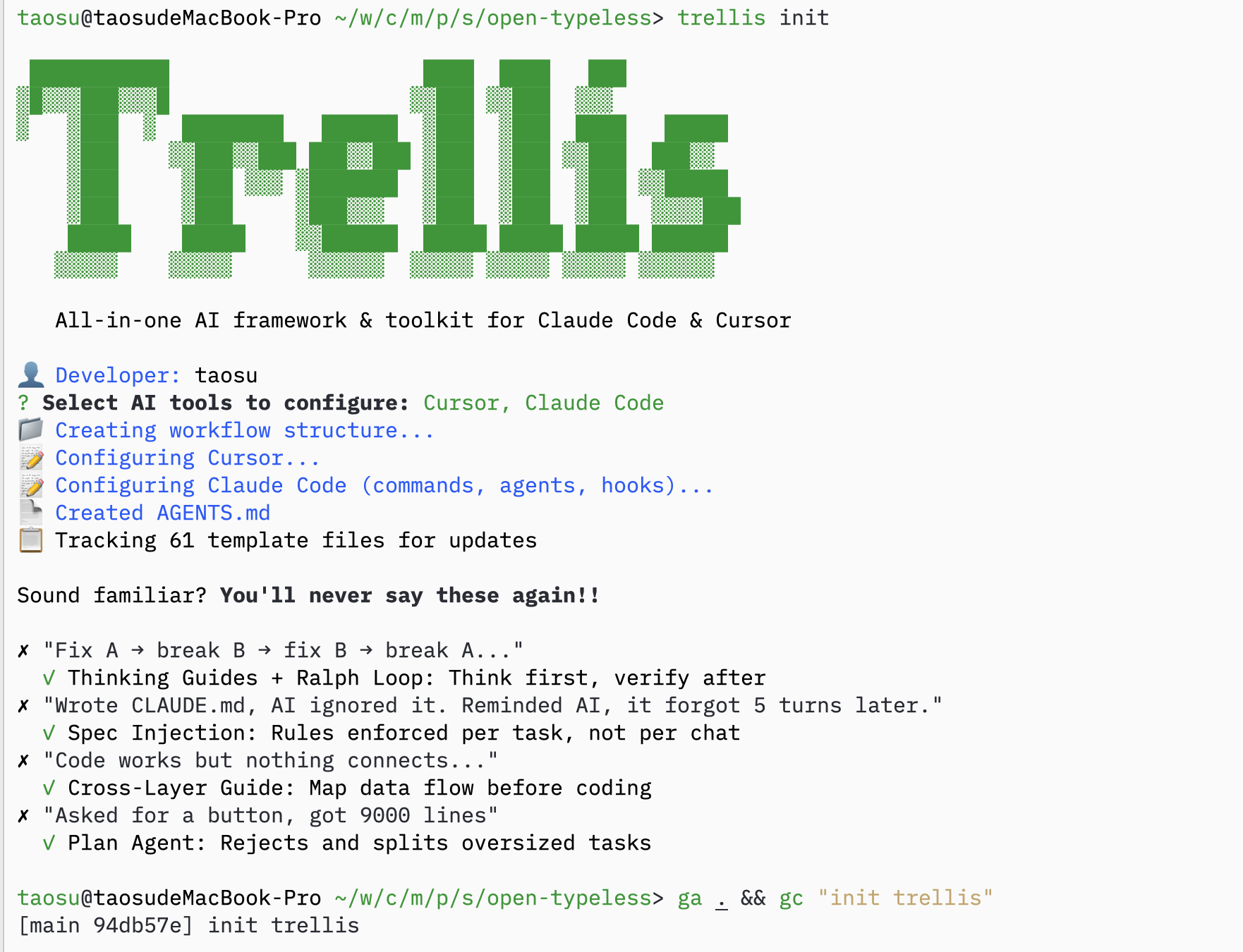
### 1.2 Initialize Trellis
```bash theme={null}
trellis init
```
 ### 1.3 Copy Specs from Existing Project
If you have specs from a similar project, copy them over:
```bash theme={null}
cp -r /path/to/old-project/.trellis/spec ./
```
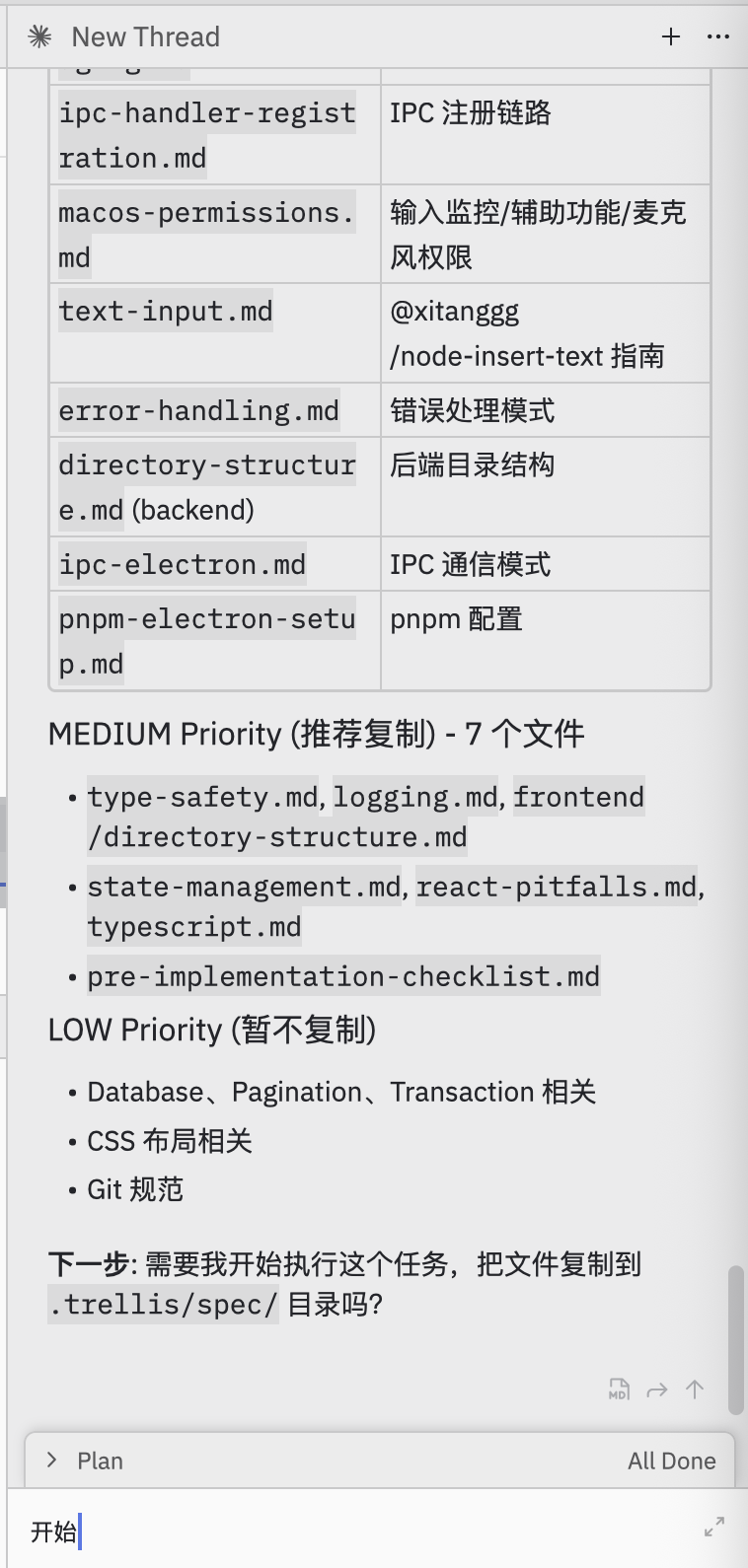
### 1.4 Ask AI to Fill in Specs
**Prompt:**
> Help me select useful specs from electron-doc/ and organize them into this project's .trellis/spec/
AI will analyze and organize specs:
### 1.3 Copy Specs from Existing Project
If you have specs from a similar project, copy them over:
```bash theme={null}
cp -r /path/to/old-project/.trellis/spec ./
```
### 1.4 Ask AI to Fill in Specs
**Prompt:**
> Help me select useful specs from electron-doc/ and organize them into this project's .trellis/spec/
AI will analyze and organize specs:
 ## Step 2: Task Planning
### 2.1 Ask AI to Plan Tasks
**Prompt:**
> I want to use Volcengine ASR BigModel API to build this. Help me plan how to break down the tasks.
AI creates a batch-based task plan:
## Step 2: Task Planning
### 2.1 Ask AI to Plan Tasks
**Prompt:**
> I want to use Volcengine ASR BigModel API to build this. Help me plan how to break down the tasks.
AI creates a batch-based task plan:
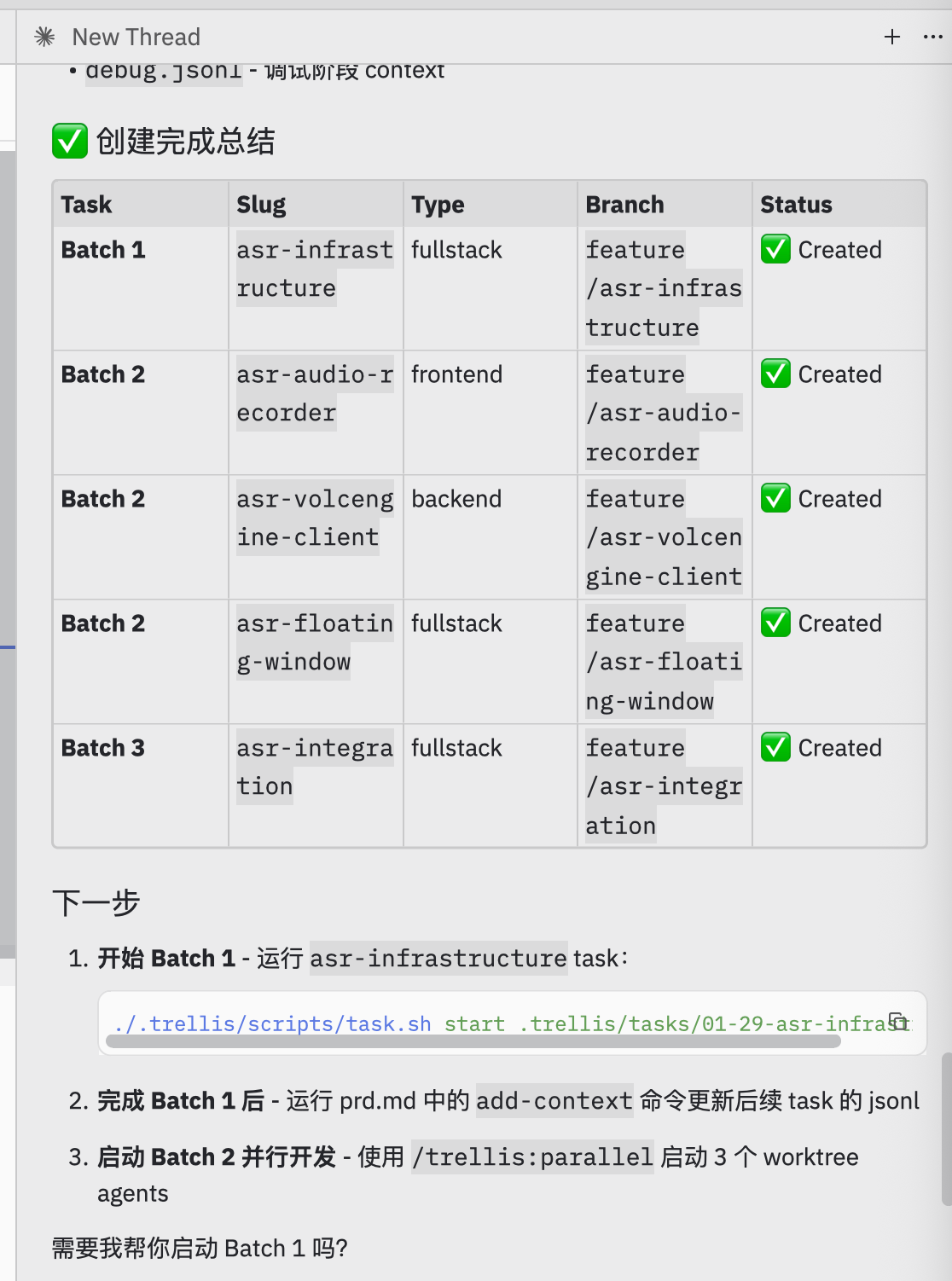
 ### 2.2 Create Tasks
AI creates tasks organized into batches:
| Batch | Tasks | Purpose |
| ------- | -------------------------------------------------------------------- | -------------------------------- |
| Batch 1 | `asr-infrastructure` | Foundation (must complete first) |
| Batch 2 | `asr-audio-recorder`, `asr-volcengine-client`, `asr-floating-window` | Can run in parallel |
| Batch 3 | `asr-integration` | Integration (depends on Batch 2) |
### 2.2 Create Tasks
AI creates tasks organized into batches:
| Batch | Tasks | Purpose |
| ------- | -------------------------------------------------------------------- | -------------------------------- |
| Batch 1 | `asr-infrastructure` | Foundation (must complete first) |
| Batch 2 | `asr-audio-recorder`, `asr-volcengine-client`, `asr-floating-window` | Can run in parallel |
| Batch 3 | `asr-integration` | Integration (depends on Batch 2) |
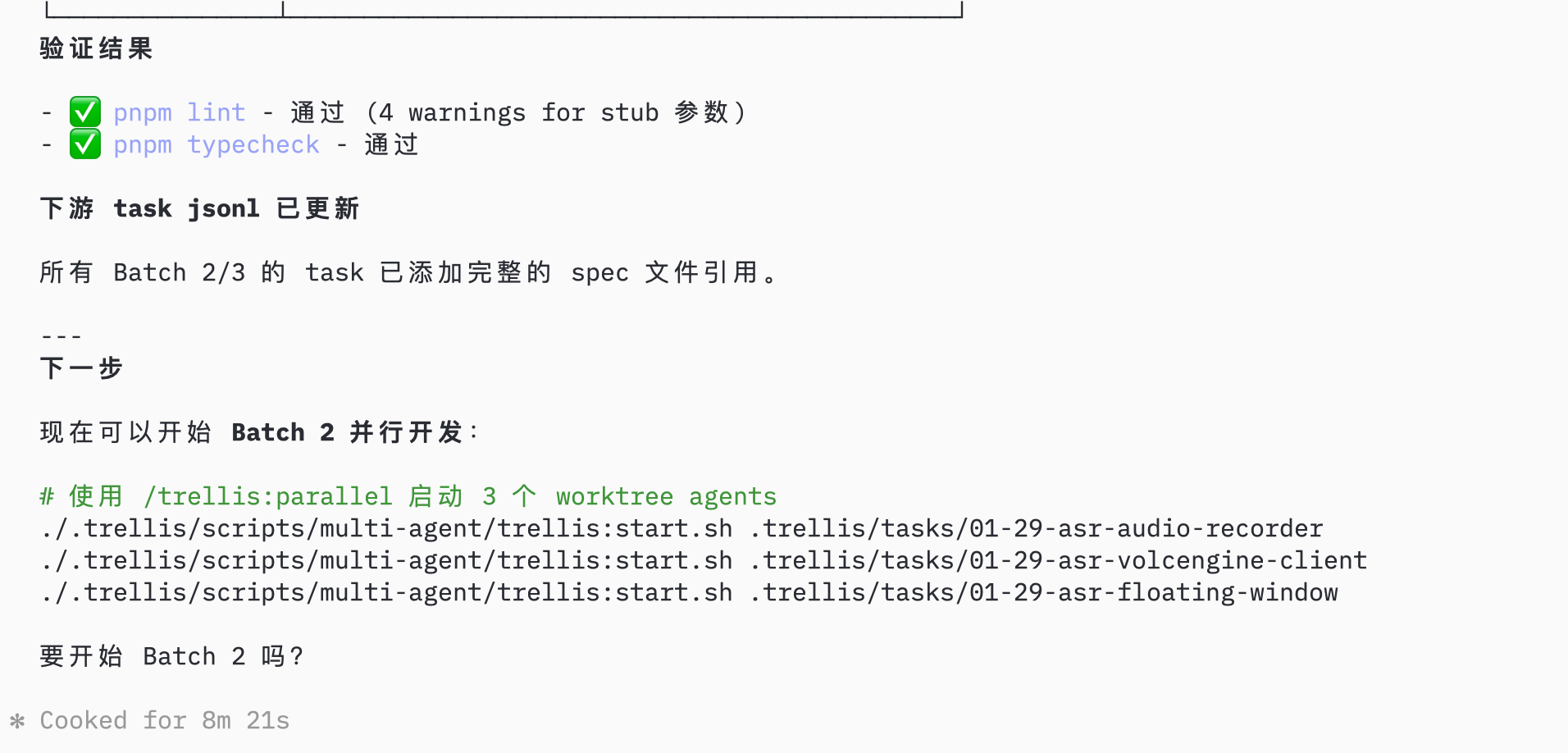
 ### 2.3 Complete Batch 1
After Batch 1 completes, verify and update downstream task contexts:
### 2.3 Complete Batch 1
After Batch 1 completes, verify and update downstream task contexts:
 ## Step 3: Parallel Development
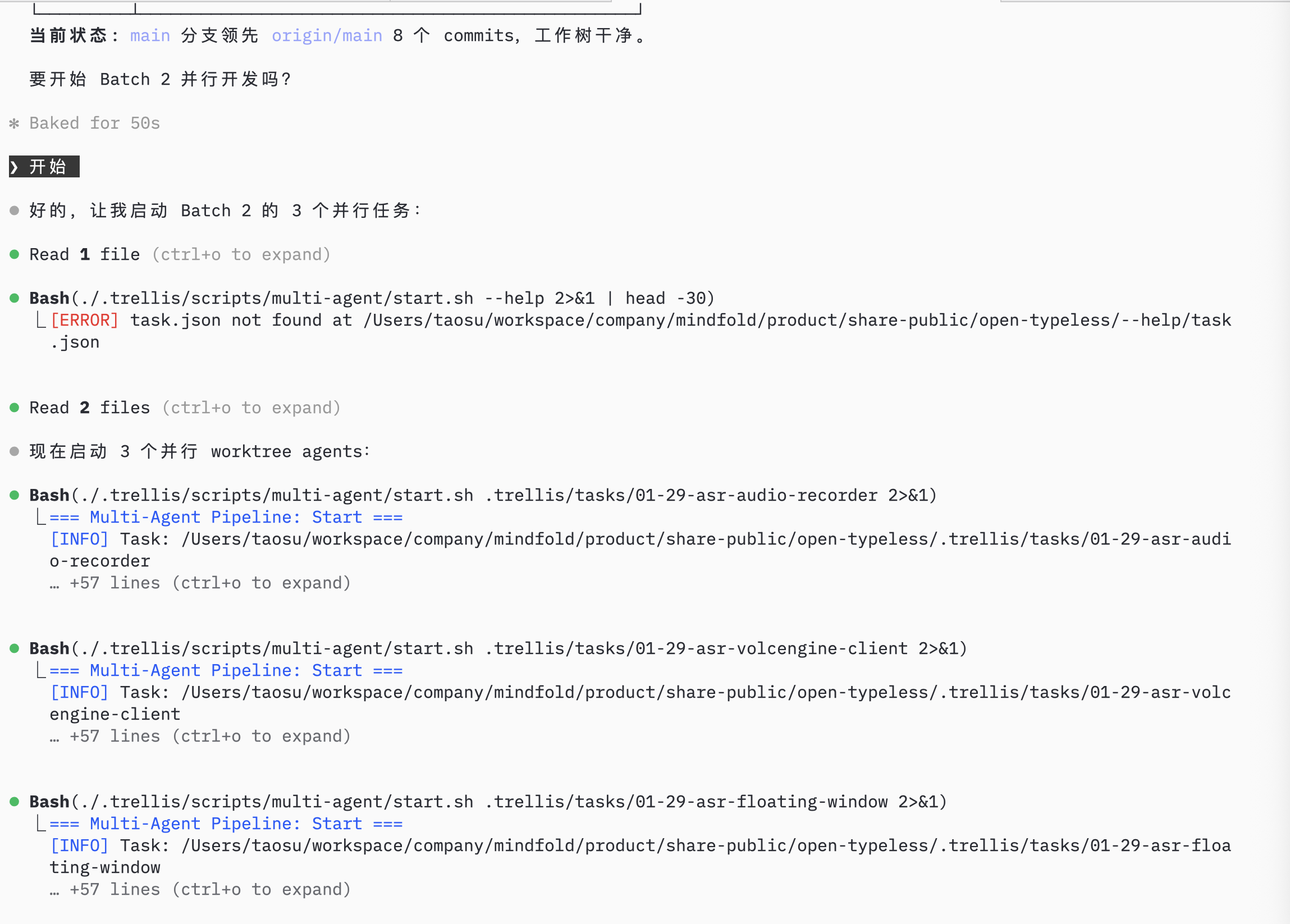
### 3.1 Start Parallel Agents
**Prompt:** `/trellis:parallel`
AI launches 3 worktree agents for Batch 2, each working in an isolated git worktree:
## Step 3: Parallel Development
### 3.1 Start Parallel Agents
**Prompt:** `/trellis:parallel`
AI launches 3 worktree agents for Batch 2, each working in an isolated git worktree:
 ## Step 4: Monitor Progress
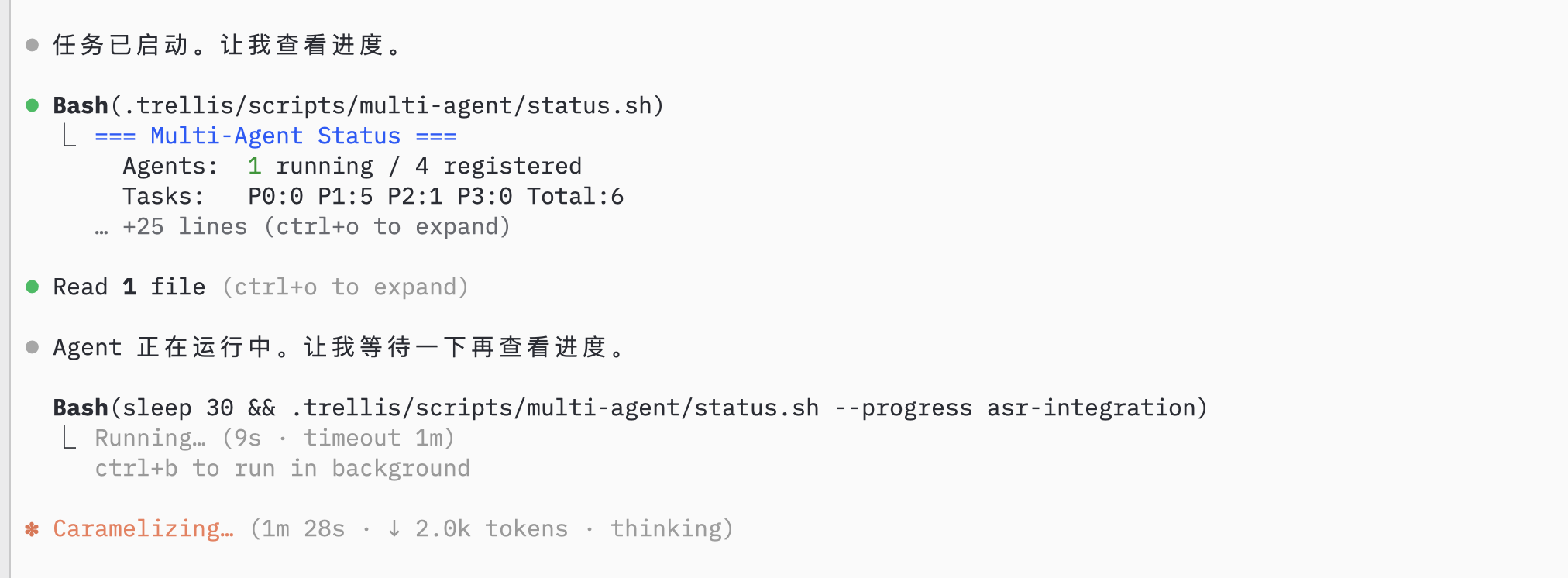
### 4.1 Check Agent Status
AI monitors agent status and task progress:
## Step 4: Monitor Progress
### 4.1 Check Agent Status
AI monitors agent status and task progress:
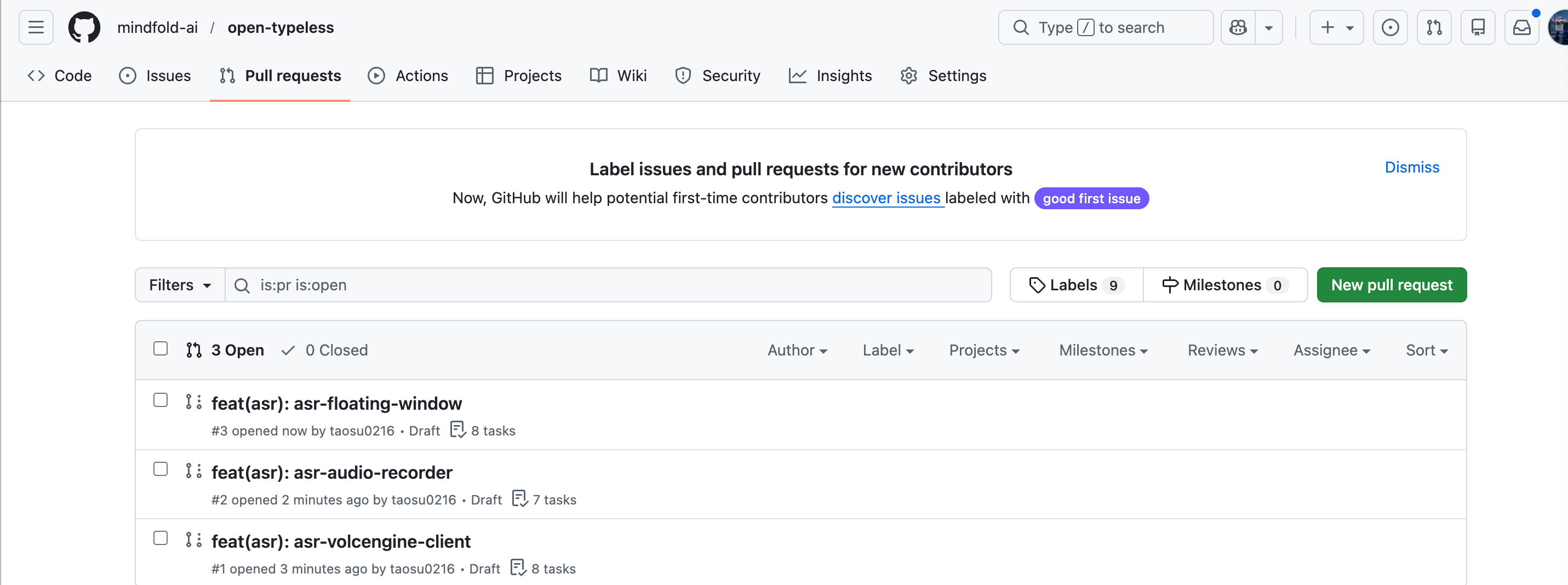
 ### 4.2 Record Session
After parallel agents complete, they create PRs automatically:
### 4.2 Record Session
After parallel agents complete, they create PRs automatically:
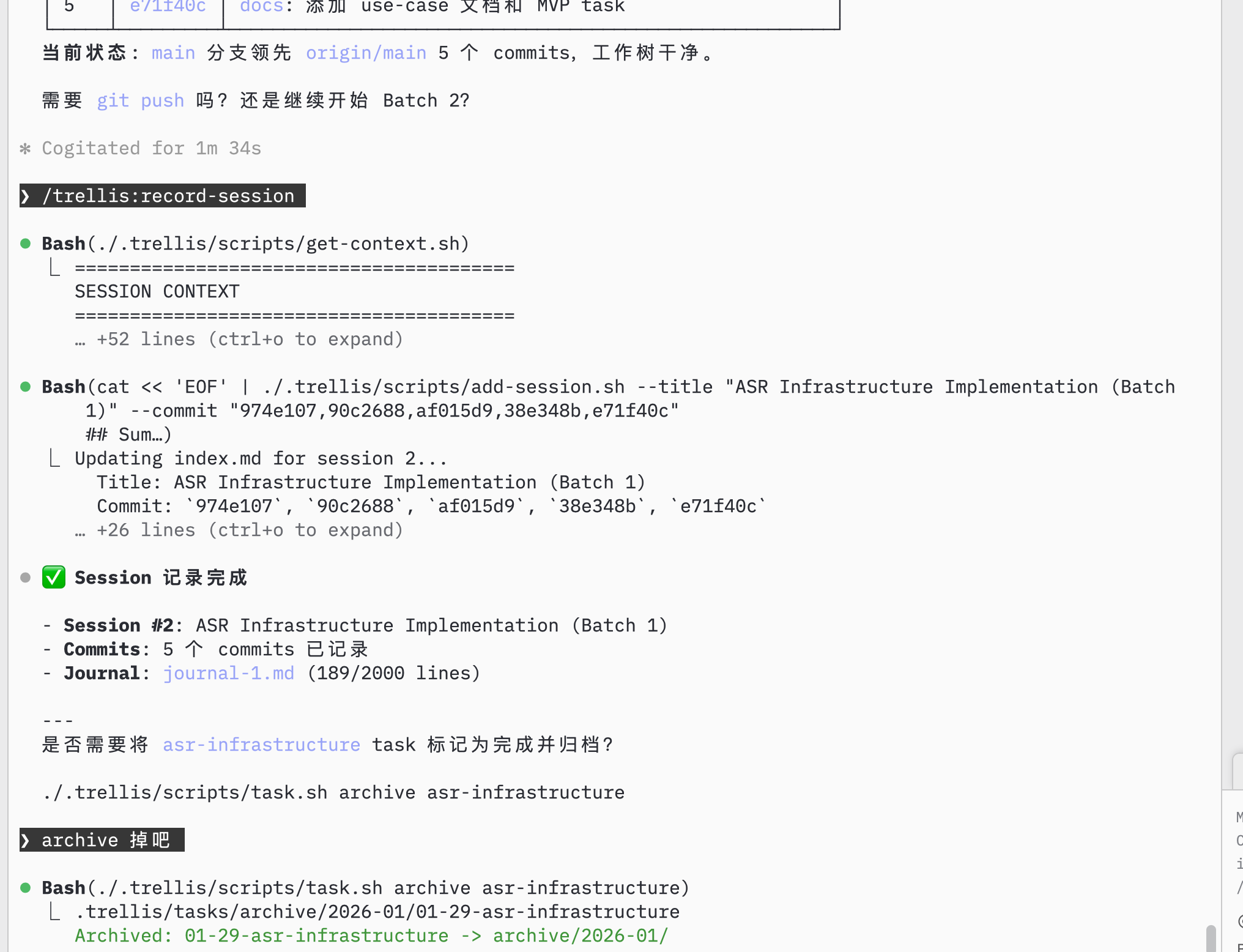
 After merging and completing a batch, record the session:
**Prompt:** `/trellis:record-session`
After merging and completing a batch, record the session:
**Prompt:** `/trellis:record-session`
 ## Step 5: Continue Development
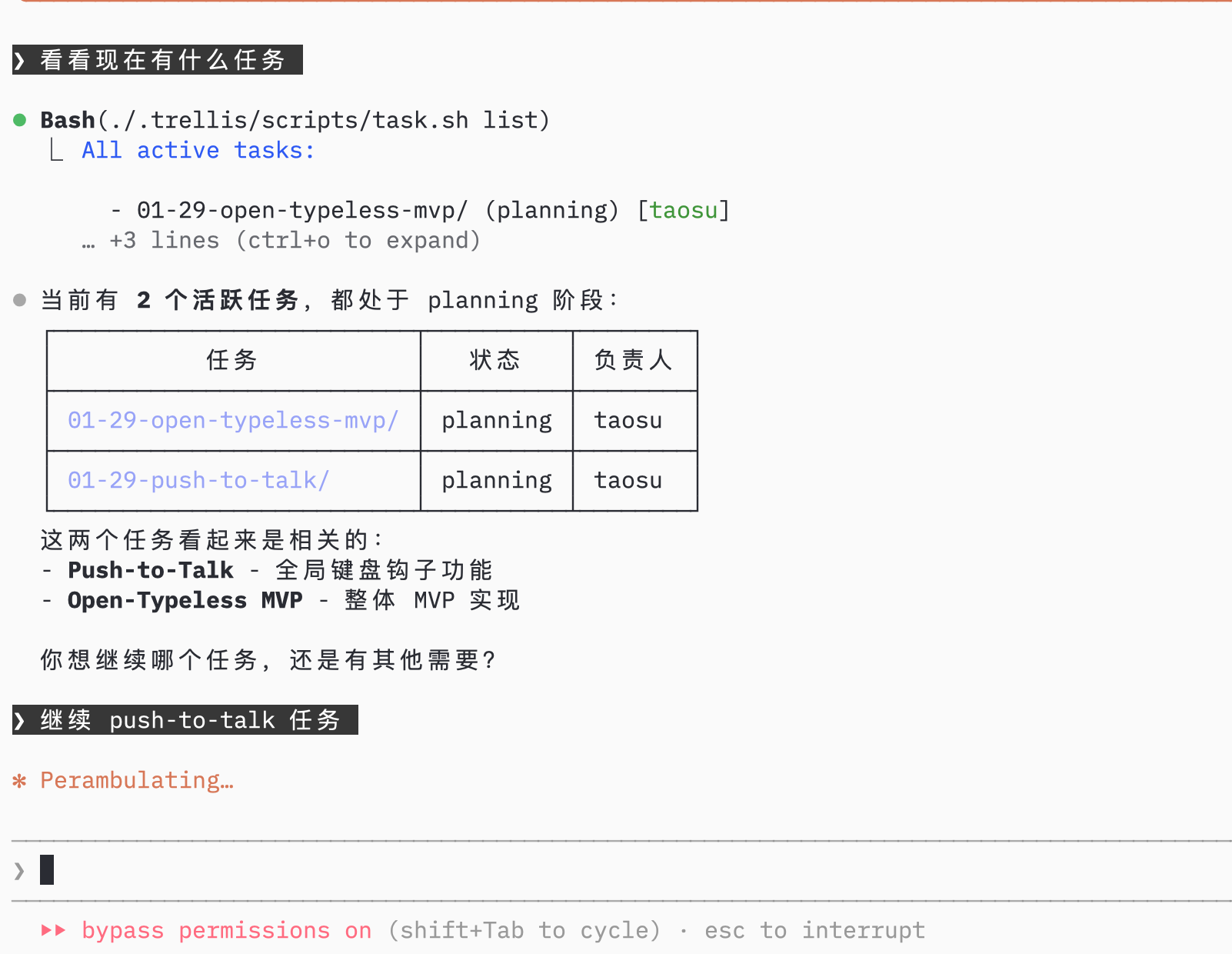
### 5.1 Check Remaining Tasks
AI shows remaining tasks in the current project:
## Step 5: Continue Development
### 5.1 Check Remaining Tasks
AI shows remaining tasks in the current project:
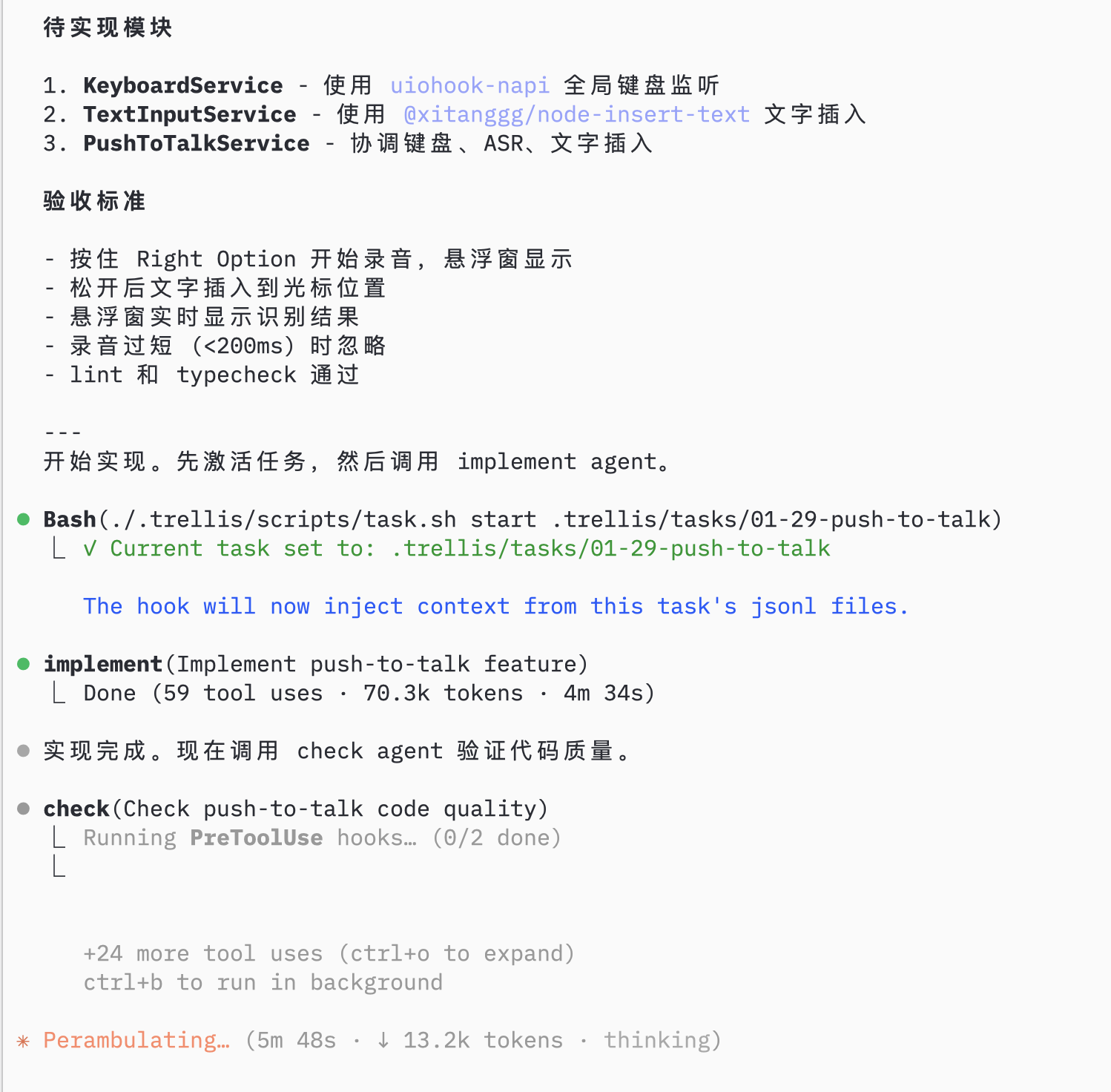
 ### 5.2 Implement Next Feature
Select the next task, AI uses implement agent then check agent:
### 5.2 Implement Next Feature
Select the next task, AI uses implement agent then check agent:
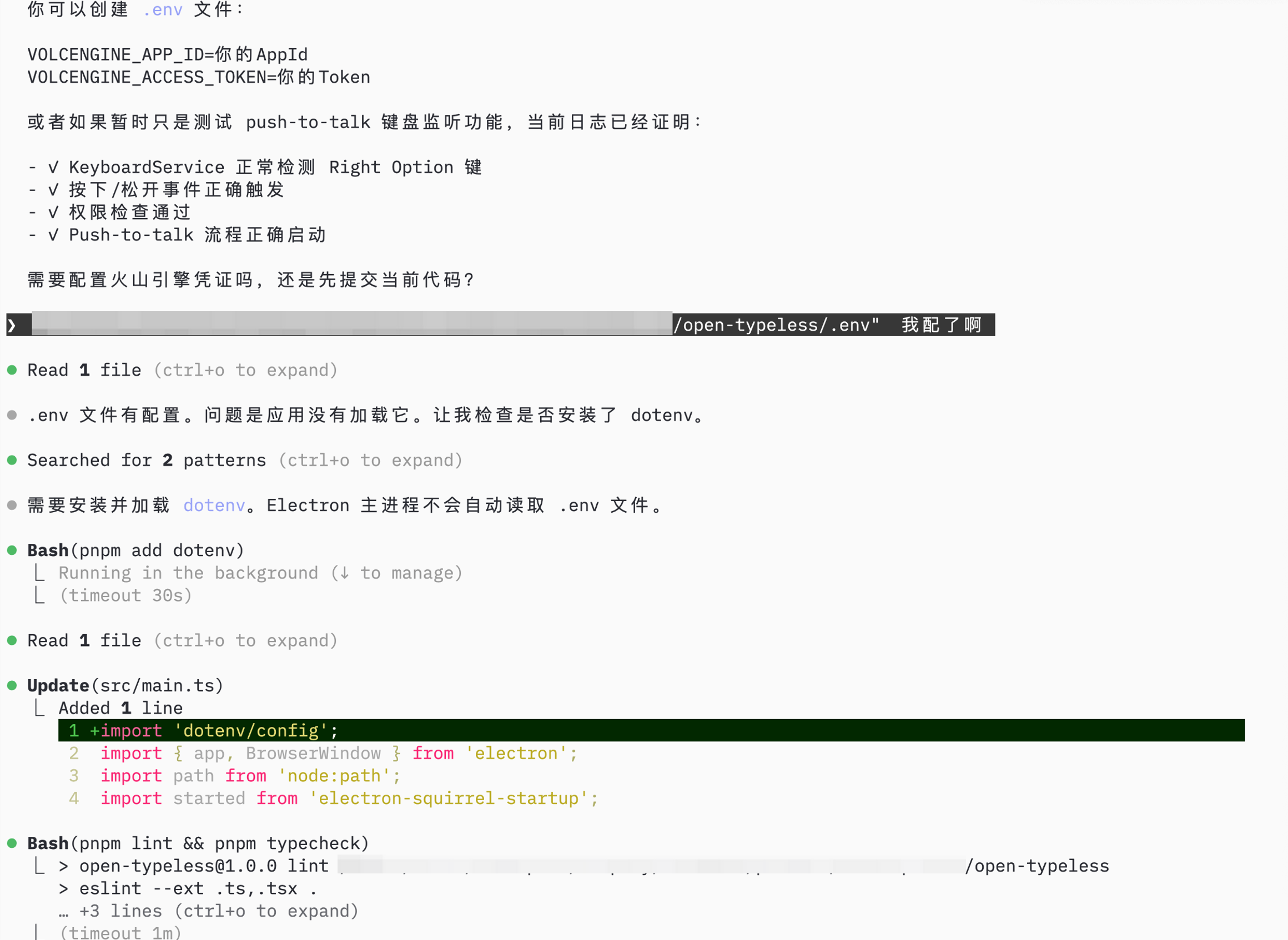
 ### 5.3 Configure and Test
AI helps with remaining setup (environment config, permissions):
### 5.3 Configure and Test
AI helps with remaining setup (environment config, permissions):
 ## Summary
Using Trellis to build open-typeless:
| Step | What | Trellis Feature |
| ---- | -------------------- | ------------------------------------ |
| 1 | Initialize project | `trellis init`, spec organization |
| 2 | Plan tasks | AI task breakdown, batch planning |
| 3 | Parallel development | `/trellis:parallel`, worktree agents |
| 4 | Monitor & record | `/trellis:record-session` |
| 5 | Continue iterating | Task hooks, implement/check agents |
**Result:** Complete Electron app in 1 day, with structured specs and documented progress.
## Summary
Using Trellis to build open-typeless:
| Step | What | Trellis Feature |
| ---- | -------------------- | ------------------------------------ |
| 1 | Initialize project | `trellis init`, spec organization |
| 2 | Plan tasks | AI task breakdown, batch planning |
| 3 | Parallel development | `/trellis:parallel`, worktree agents |
| 4 | Monitor & record | `/trellis:record-session` |
| 5 | Continue iterating | Task hooks, implement/check agents |
**Result:** Complete Electron app in 1 day, with structured specs and documented progress.